
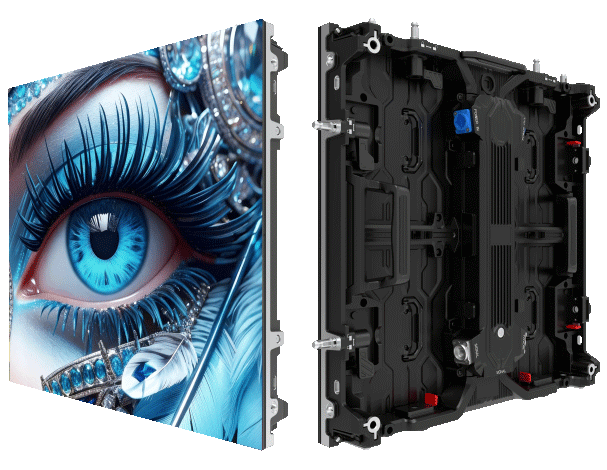
Start with what your audience actually sees
You want the backdrop to read clear from 50 metres or 500 — start there, okay. Match venue sightlines and camera framing first, then worry about cabinet size and pixel pitch. For many outdoor events, organisers choose led display solutions that deliver consistent brightness and colour across wide angles; this also helps broadcast feeds and on-stage cameras. If the production brief mentions a large advertising panel or sponsor visuals, consider a commercial LED video wall specification early so the rigging and content team work with same expectations.
Aspect ratio: match content to structure, not the other way round
Aspect ratio decides composition. Pick a ratio that fits your main content — full-frame video, split graphics, or live camera mix. Standard widescreen (16:9) works for most broadcast footage; ultra-wide formats require custom content and careful pixel management. Use aspect-ratio templates during pre-event content creation to avoid last-minute scaling that introduces artefacts or uneven pixel stretching. Pixel pitch and cabinet seam alignment matter when you stretch content — worse seam alignment makes text unreadable from distance.
Processor scaling: what to buy and what to avoid
Scaling hardware does heavy lifting — scaler, video processor, LED controller. Choose processors that support source-native resolution and frame-rate conversion with motion compensation; that reduces judder on live camera feeds. Look for units with per-channel colour calibration and redundancy options so single-point failure won’t black out the whole wall. Low-cost scalers may seem tempting, but they can introduce latency or frame drops during multi-source switches.
Site realities and a real-world anchor
Outdoor events demand high brightness and weather resilience. Typical outdoor LED panels run between about 5,000–10,000 nits for daylight visibility; this is what you commonly see on Times Square installations and major stadium façades. Factor in sun angles, ambient reflections, and cooling — overheat reduces LED lifespan. Rigging constraints and local permit rules influence aspect ratio choices just as much as content does.
Common mistakes and practical fixes
People often skip a content test on the actual screen. Result: text too small, colours off, or letterboxing. Fix this by doing on-site content rehearsals at final brightness. Another mistake is underestimating processing latency for interactive setpieces — always test switch-around times with live inputs. Cabling and grounding get ignored more than they should; poor grounding causes flicker and noise on camera picks.
Choosing between alternatives
There are three sensible options depending on budget and complexity: hire a turnkey LED supplier with integrated processing; rent modular cabinets and bring your own scaler; or mix legacy projectors with LED accents. Turnkey gives simplicity and warranty, rental gives flexibility, hybrid saves cost but adds integration risk. If broadcasting live, prioritise low-latency processing and reliable synchronisation — otherwise camera operators will spend more time fixing sync than framing shots.
Operational tips for technicians
Label every source, lock frame rates, and keep a spare controller on-site. For multi-panel walls, do a quick flat-field and brightness sweep after warm-up so the calibration holds during showtime. Keep an eye on refresh rate compatibility with cameras — mismatch causes rolling bars and artefacts. Regularly update firmware, but not the day before the event — schedule updates during rehearsals, lah.
Summary and quick checks
Decide viewing distance, lock aspect ratio early, pick a processor that preserves native resolution, and validate brightness for outdoor daylight. Plan redundancy and test under real conditions. These steps reduce last-minute scrambling and keep visuals sharp for audience and broadcast — measurable win for organisers and clients.
Three golden rules for selecting the right setup
1) Visual Clarity Metric: Confirm legibility at the furthest viewer distance using pixel pitch and viewing-angle checks. 2) Processing Integrity Metric: Verify processor supports native input resolutions, per-channel colour calibration, and has failover paths. 3) Environmental Suitability Metric: Ensure panels meet outdoor brightness (5,000–10,000 nits range), IP rating for weather, and thermal management. Apply these three and you cut risk substantially.
Final thought — good planning makes the tech invisible. MR LED. —